

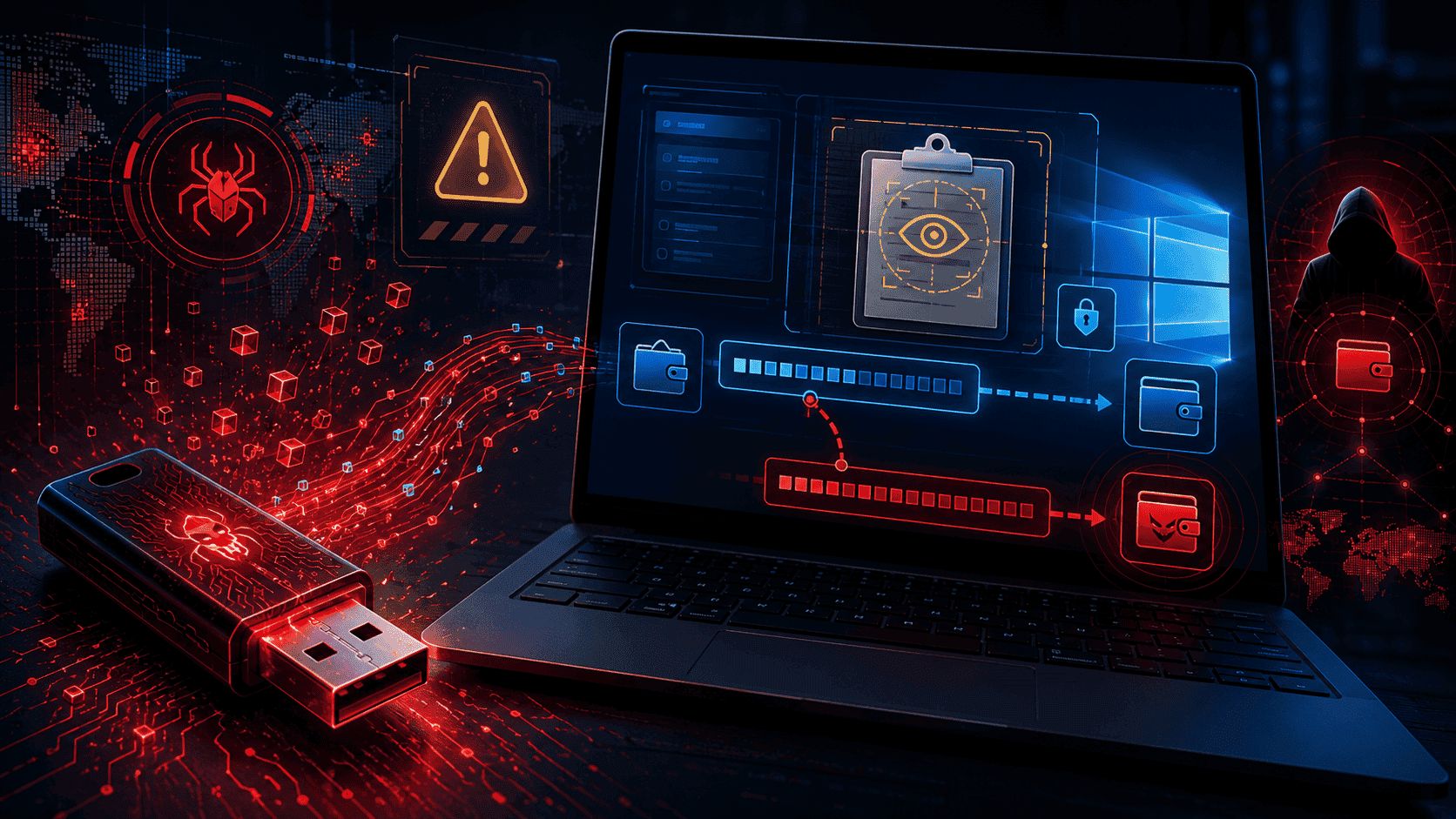
Microsoft published a security advisory on June 17 detailing a sophisticated piece of malware that’s been quietly attacking Windows-based cryptocurrency users for the past four months. The malware, designated Trojan:Win32/CryptoBandits, combines techniques that haven’t been seen together in modern crypto-stealing operations: USB-based propagation, clipboard monitoring, wallet address substitution, screenshot capture, Tor-based command-and-control, and remote code execution.
The combination matters because it transforms what could have been a simple clipboard stealer into a comprehensive backdoor capable of long-term persistence on infected systems. Once installed, CryptoBandits doesn’t just hijack one or two transactions and disappear. It establishes ongoing access that lets attackers monitor everything happening on the infected computer for as long as the malware remains undetected.


For Windows-based crypto users, the threat is real and operational. The malware has been actively spreading since February 2026. Microsoft Defender now detects it, but the four-month operational window before detection means many infections likely already exist on systems where users haven’t yet noticed the compromise. Anyone who has plugged an unfamiliar USB drive into a Windows machine in the past four months needs to take this seriously.
The technical sophistication of CryptoBandits represents a meaningful escalation in crypto-targeted malware. Understanding how it works helps users protect themselves and helps the broader crypto industry prepare for similar future attacks.
How CryptoBandits Actually Works
The attack chain begins with a malicious USB drive. Once inserted into a Windows machine, the drive presents what looks like normal documents and files. The icons and filenames appear identical to what a user might expect to find on any USB drive. The malicious payload is hidden inside Windows shortcut files (.lnk extensions) that appear to be regular document shortcuts.
When the user clicks what looks like a Word document, PDF, or Excel file, the shortcut executes the underlying malware rather than opening the file the user expected. The infection happens in seconds, often without visible signs that anything has changed on the system.
Once installed, CryptoBandits performs four primary functions simultaneously.
Function one: Clipboard monitoring. The malware scans Windows clipboard contents every 500 milliseconds, looking for cryptocurrency wallet addresses, seed phrases, and private keys. The clipboard is the temporary memory area used when users copy and paste text. Anyone who has ever copied a Bitcoin or Ethereum address to send a transaction has stored that address in the clipboard. CryptoBandits captures these strings before the user can paste them.
Function two: Address substitution. This is the most financially damaging element. When the malware detects a copied crypto wallet address, it can silently replace it with an attacker-controlled address before the user pastes it. The substitution happens so quickly that users typically don’t notice. They paste what looks like the address they copied, confirm the transaction, and watch their funds go to an attacker rather than their intended recipient.
The technical detail that makes this attack particularly insidious is the address selection. CryptoBandits chooses attacker addresses based on their starting characters to partially match the legitimate address the user intended. If the user copies a Bitcoin address starting with “bc1q9,” the malware substitutes an attacker address also starting with “bc1q9,” making the substitution harder to detect through a quick visual check.
Function three: Screenshot capture. Every 10 seconds, the malware captures five screenshots of the victim’s screen. The images are exfiltrated through Tor to attacker-controlled servers. The screenshots provide visual confirmation of what the user is doing, including any sensitive information visible on screen.
Function four: Worm-like propagation. CryptoBandits actively spreads itself to additional systems. When a new clean USB drive is inserted into an infected machine, the malware writes copies of itself to the new drive. The infected drive then becomes a vector for spreading to additional computers when used elsewhere.
The Tor Connection That Makes It Hard to Stop
The use of Tor for command-and-control communications represents one of CryptoBandits’ most sophisticated technical elements.
Most crypto-stealing malware uses traditional IP-based servers for command-and-control. Security researchers can often identify these servers through network monitoring, block them at firewalls, and eventually take them down through coordinated action with hosting providers. The traceable nature of IP-based infrastructure provides defenders with concrete tactical responses.
Tor changes that dynamic significantly. CryptoBandits routes all its command-and-control traffic through a bundled Tor client that runs on the infected machine as a local SOCKS5 proxy on port 9050. The Tor network provides anonymous communication that obscures both the destination servers and the origin of the connections. Defenders can’t easily identify which servers the malware is communicating with, can’t simply block specific IP addresses, and can’t coordinate with hosting providers to take infrastructure down because the actual servers are hidden behind Tor’s anonymity layer.
The combination of Tor communications with malware persistence creates conditions where individual infections can remain operational for extended periods. The Tor-based architecture also means that even when Microsoft publishes indicators of compromise (which it has), defenders need behavioural detection rather than simple network signature matching to identify infections in real time.
The remote code execution capability adds another layer of risk. The malware can receive “EVAL” instructions from its command-and-control server that cause it to execute attacker-supplied code at runtime. This means CryptoBandits isn’t just a static crypto-stealing tool. It’s a flexible backdoor that attackers can repurpose for additional malicious activities including credential theft, ransomware deployment, or lateral movement into corporate networks.
What This Means for Crypto Users
For anyone holding cryptocurrency on Windows computers, the CryptoBandits campaign requires immediate practical responses.
Verify wallet addresses character-by-character before confirming transactions. This is the single most important defensive measure. The malware works by substituting addresses, so visual verification at the actual moment of transaction confirmation is the last line of defence. Compare the address you intended to send to with what actually appears in your wallet’s confirmation screen. If they don’t match exactly (including the middle portions, not just the first and last few characters), do not confirm the transaction.
Treat unknown USB drives as potentially infected. The primary infection vector is USB drives, including drives that look like they came from legitimate sources. If you find a USB drive somewhere, don’t insert it into your computer. If someone hands you a USB drive, verify with the source what should be on it and consider whether you can avoid using it entirely. For business contexts, IT security teams should restrict USB drive usage on systems that interact with cryptocurrency.
Disable AutoRun and AutoPlay on Windows. Microsoft specifically recommended these defensive measures in its security advisory. These features automatically execute content from removable drives when they’re inserted, which is precisely the mechanism CryptoBandits exploits. Disabling them removes one of the primary infection pathways.
Block .lnk file execution from USB media. Group Policy and similar Windows management tools can restrict which file types can execute from removable media. Blocking .lnk execution from USB drives prevents the specific shortcut-based infection chain CryptoBandits uses.
Run updated Microsoft Defender or equivalent security software. Microsoft Defender now detects CryptoBandits as Trojan:Win32/CryptoBandits.A. Users running updated Defender are protected against new infections, though existing infections that established before detection updates may persist.
Consider hardware wallets for significant holdings. Hardware wallets like Ledger and Trezor provide protection against software-based attacks like CryptoBandits because the private keys never leave the hardware device. Even if the host computer is fully compromised, the attacker cannot extract keys from the hardware wallet. For users with substantial crypto holdings, hardware wallets provide meaningful protection against the entire category of clipboard-stealing and key-extraction malware.
Use separate computers or VMs for crypto activity. Some sophisticated users maintain dedicated machines or virtual machines exclusively for cryptocurrency activities. This isolation prevents general computer usage (including USB drive insertion for non-crypto purposes) from creating crypto-specific security risks.
The Broader Pattern of Crypto-Targeted Malware
CryptoBandits fits into a broader trend of increasingly sophisticated malware targeting cryptocurrency users specifically. Understanding this pattern helps users prepare for similar future threats.
Crypto-stealing malware has evolved significantly over the past several years. Early versions were relatively simple clipboard hijackers that substituted addresses but had limited persistence mechanisms. As crypto adoption grew and the financial incentives increased, attackers invested more resources in developing sophisticated tools.
The current generation of malware combines multiple techniques that previously appeared separately. CryptoBandits specifically merges USB-borne worm propagation (an older technique from the early 2000s), clipboard hijacking (a relatively modern crypto-targeting technique), Tor-based command-and-control (a sophisticated anonymization approach), and remote code execution capabilities (a feature typical of nation-state-grade malware).
The convergence of these techniques in a single malware family suggests that cryptocurrency theft has reached a level of profitability where threat actors are willing to invest in genuinely sophisticated tooling. The attack economics favor continued investment because successful infections can extract significant value before detection.
Recent crypto industry incidents reinforce the broader pattern. The Humanity Protocol hack we covered involved a compromised employee laptop. The Drift Protocol incident on Solana involved key compromise. The DMM Bitcoin hack ($305 million) involved similar operational security failures. Each of these cases demonstrates that the weakest links in crypto security are often the human-operated computers and operational practices, not the underlying cryptographic protocols.
The Binance Research report on $13 billion in DeFi exploits since 2022 documents the cumulative cost of these security gaps. Malware like CryptoBandits targets a different attack surface (individual user wallets rather than protocol-level vulnerabilities) but contributes to the same broader cost the industry absorbs from inadequate operational security.
For the crypto industry, the implications include the need for better default security practices, more user education about operational threats, and continued investment in hardware-based security solutions that resist software compromises. The defenders are in a race against attackers who continue investing in increasingly sophisticated tools, and the race doesn’t end with any single malware family’s detection.
What Users Should Do This Weekend
For individual cryptocurrency users, the practical advice for the next few days is specific.
If you regularly use Windows computers and have inserted USB drives from unknown sources in the past four months, scan your system with updated Microsoft Defender or equivalent security software. Look for evidence of CryptoBandits-specific indicators of compromise published in Microsoft’s blog post. The localhost:9050 proxy usage Microsoft mentioned is a strong behavioural indicator that Tor-based malware is running on your system.
If you’ve recently sent cryptocurrency transactions from a Windows machine, verify that the recipient addresses on the blockchain match what you intended to send to. If you find discrepancies, your system may have been compromised. Take immediate steps to move remaining funds to a fresh wallet that isn’t accessible from the potentially compromised computer.
If you hold significant cryptocurrency and don’t currently use a hardware wallet, this incident provides additional motivation to migrate to one. The cost of hardware wallets (typically $50-150 for the basic models) is small relative to the protection they provide against software-based attacks.
For users in business contexts where USB drives are part of normal workflows, work with IT security to evaluate whether current policies are adequate. Restricting USB drive usage on systems that handle cryptocurrency or sensitive financial data is a reasonable response to threats like CryptoBandits.
The malware has been operational since February 2026. The disclosure on June 17 doesn’t end the threat. Many infections likely persist on systems where users haven’t yet detected them. The defensive work falls primarily on individual users and their security software providers. Microsoft has done the threat research and is detecting the malware through Defender. The rest of the response depends on users implementing the defensive measures and remaining vigilant about the operational practices that allow infections to occur in the first place.
FAQ
What is CryptoBandits malware?
CryptoBandits is a sophisticated Windows-based malware that’s been targeting cryptocurrency users since February 2026. Microsoft Threat Intelligence detected and disclosed it on June 17, 2026. The malware spreads through USB drives via malicious .lnk shortcut files, monitors the Windows clipboard every 500 milliseconds for crypto addresses and seed phrases, replaces copied wallet addresses with attacker-controlled ones, captures screenshots every 10 seconds, communicates with command-and-control servers through the Tor network, and can execute arbitrary code remotely. Microsoft Defender now detects it as Trojan:Win32/CryptoBandits.A.
How can I protect myself from CryptoBandits?
Several defensive measures: verify wallet addresses character-by-character before confirming transactions (the malware substitutes addresses with attacker-controlled ones that have matching start characters), avoid inserting unknown USB drives into your computer, disable AutoRun and AutoPlay on Windows, block .lnk file execution from USB media, run updated Microsoft Defender or equivalent security software, and consider using hardware wallets like Ledger or Trezor for significant cryptocurrency holdings. Hardware wallets protect against this entire category of malware because the private keys never leave the device.
What should I do if I think I’ve been infected?
If you suspect infection, scan your system with updated security software immediately. Look for evidence of Tor proxy usage on localhost port 9050, which is a strong behavioural indicator of CryptoBandits. If you find evidence of compromise, move any cryptocurrency holdings from wallets accessible from the affected machine to fresh wallets controlled from a clean device. Consider professional incident response if business data may also be at risk. Microsoft published specific indicators of compromise in its security advisory that can help confirm or rule out infection.
Disclaimer: This article is for informational purposes only and does not constitute financial or security advice. Cryptocurrency investments carry significant risk including operational security threats. Always conduct your own research and consult security professionals before making decisions about cryptocurrency security practices.